How to use TweetDeck as a student journalist
Figure out the best way to use the social media application 'Twitter' for research in journalism.

Twitter has been used by journalists as a method of newsgathering all around the globe. But have you ever come across various platforms that enable the usage of Twitter in different ways and found yourself confused?
TweetDeck is a social media dashboard application created to help manage Twitter accounts. However, the uses of Twitter on using this platform specifically increase your opportunities as a journalist doing research on the platform! Finding your way around TweetDeck can be confusing, especially if you have never used it before. Therefore, with my experience of being a student journalist using it for research, I’ve attempted to help navigate your way through in the simplest way.
Columns and their benefits
As you embark on your journey into the world of TweetDeck, the first thing you will notice is the number of columns on your screen. Don’t be overwhelmed by the overflowing streams of information, this is where the magic happens.

The flexibility to add as many columns as you want to follow multiple hashtags, people, your news feed and more enables a faster consumption of data. This, as compared to when using Twitter as it is, can seem like too much information for you to read at once. However, every column on your homepage updates in real time. This means tweets may flow freely through the column as and when they are posted keeping you updated in the best and fastest way.
If you're in a situation where you are trying to research multiple things at once, I find TweetDeck extremely useful as it helps me read through multiple sources at once.
Add filters to your fast-paced Tweets
If you feel like your columns are moving too fast and showing Tweets that may or may not help you, you can always filter out what you would and wouldn’t like to see!
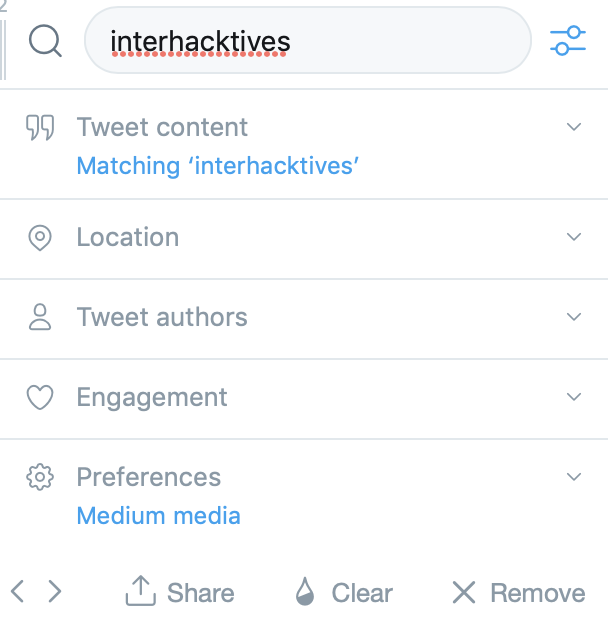
You may want to follow a certain hashtag (like the one shown above) but only Tweets from specific authors on the subject – now you can! Your column and feed can be filtered by content (as you already know) and furthermore, location, authors, engagement and the media! This enables a more refined form of research when considering assessments for your degree or information to cover a specific story. Filters have so many advantages and simplify the fast-moving columns for you.
Tweets can be scheduled
Have you ever found yourself in a situation where you want to Tweet about something at a specific time (following an event, news story or other on-diary stories) but have been unable to for whatever reason? TweetDeck gives you the option to schedule your Tweets for the date and time of your preference. Simply click to post a new Tweet and scroll down to schedule it as and when you want!
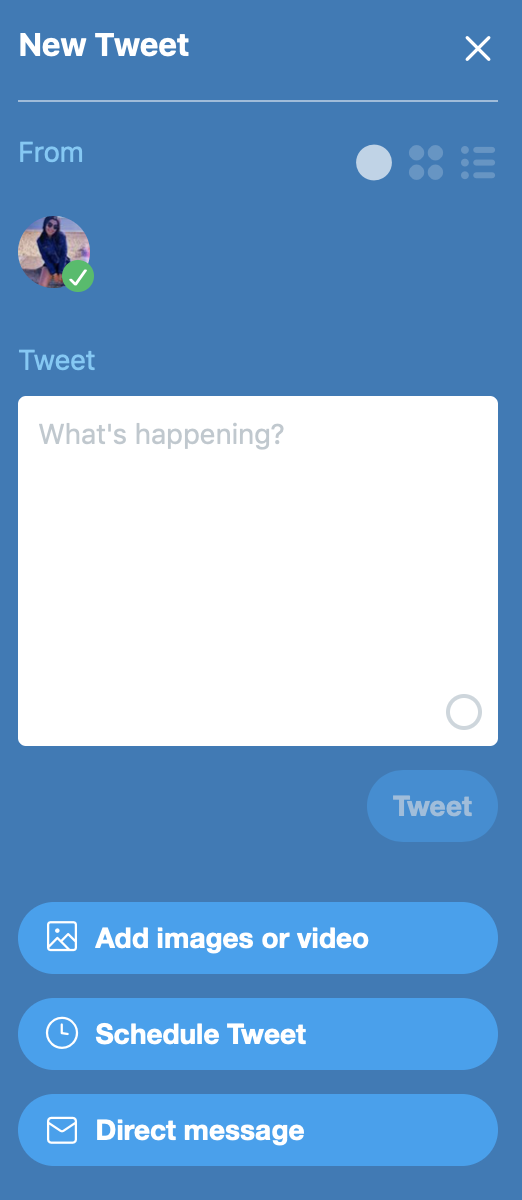
We all know how time plays an important role in our careers and lives as journalists… We suffer from constraints in the form of assessment deadlines and the constant need to stay on top of our degrees. Balancing social media in the midst of it using this feature can simply work towards making your day slightly more organised! To know more on Scheduling tweets, click here!
Refine your search
If you read through the Search Tips in your TweetDeck settings, you'll find a variety of tips enabling a refined search. The tips vary and give you the opportunity to search for specific tweets tweeted by specific accounts, making the process of research relatively easier.
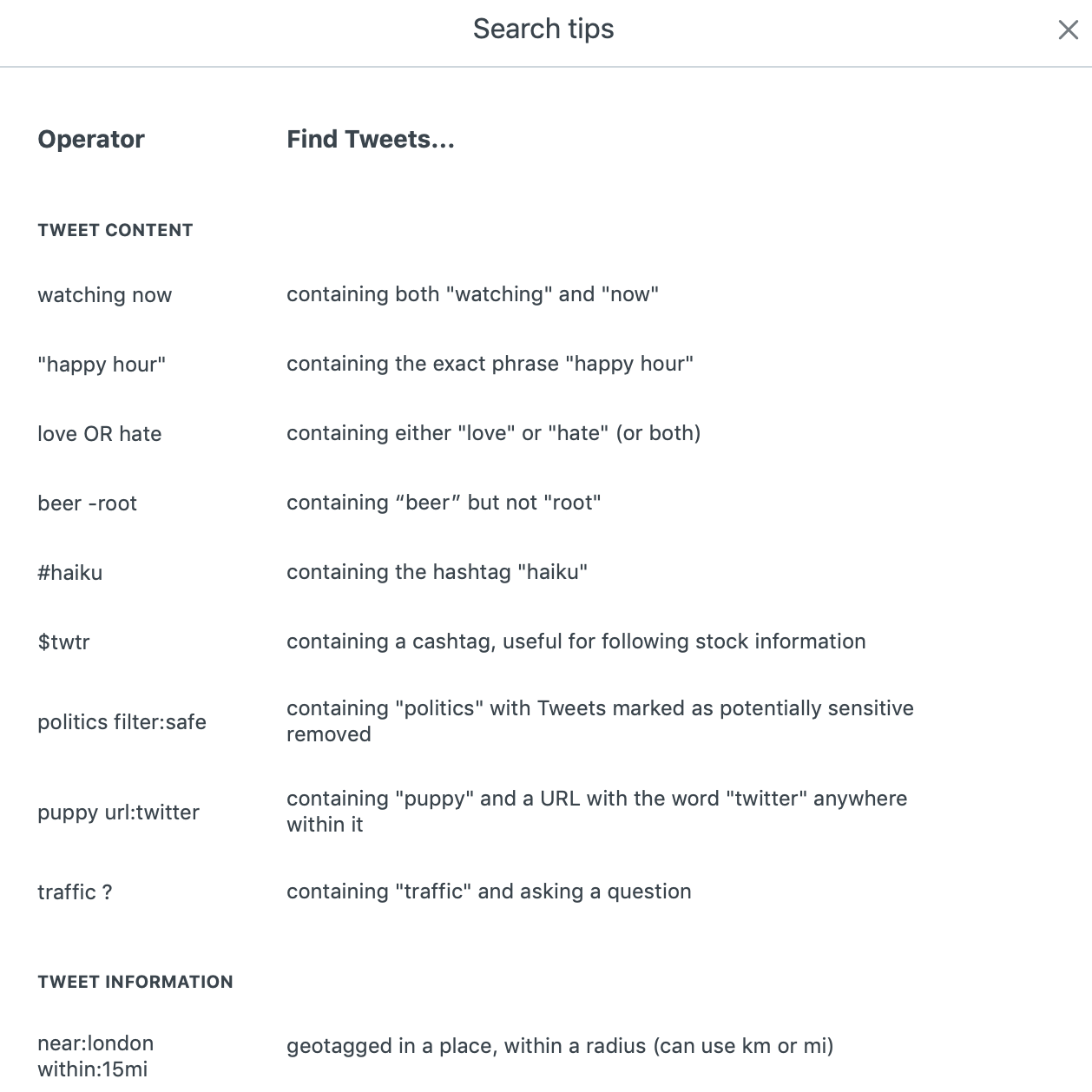

The tips above show a variety of combinations in order to find tweets with specific numbers of likes, retweets, replies and more. This feature on the TweetDeck dashboard is another useful tool for journalism and is guaranteed to help you out if you've just started using it.
My TweetDeck Homepage
For those of you first timers, this is what my homepage looks like. Being a student journalist, I like to stay on top of my news feed, hashtags relating to my MA course and trending news stories on the platform. This not only helps keep me informed in the most powerful way, but also helps with potential ideas for news to write about. Being constantly updated (without choice) has so many more perks than you realise.
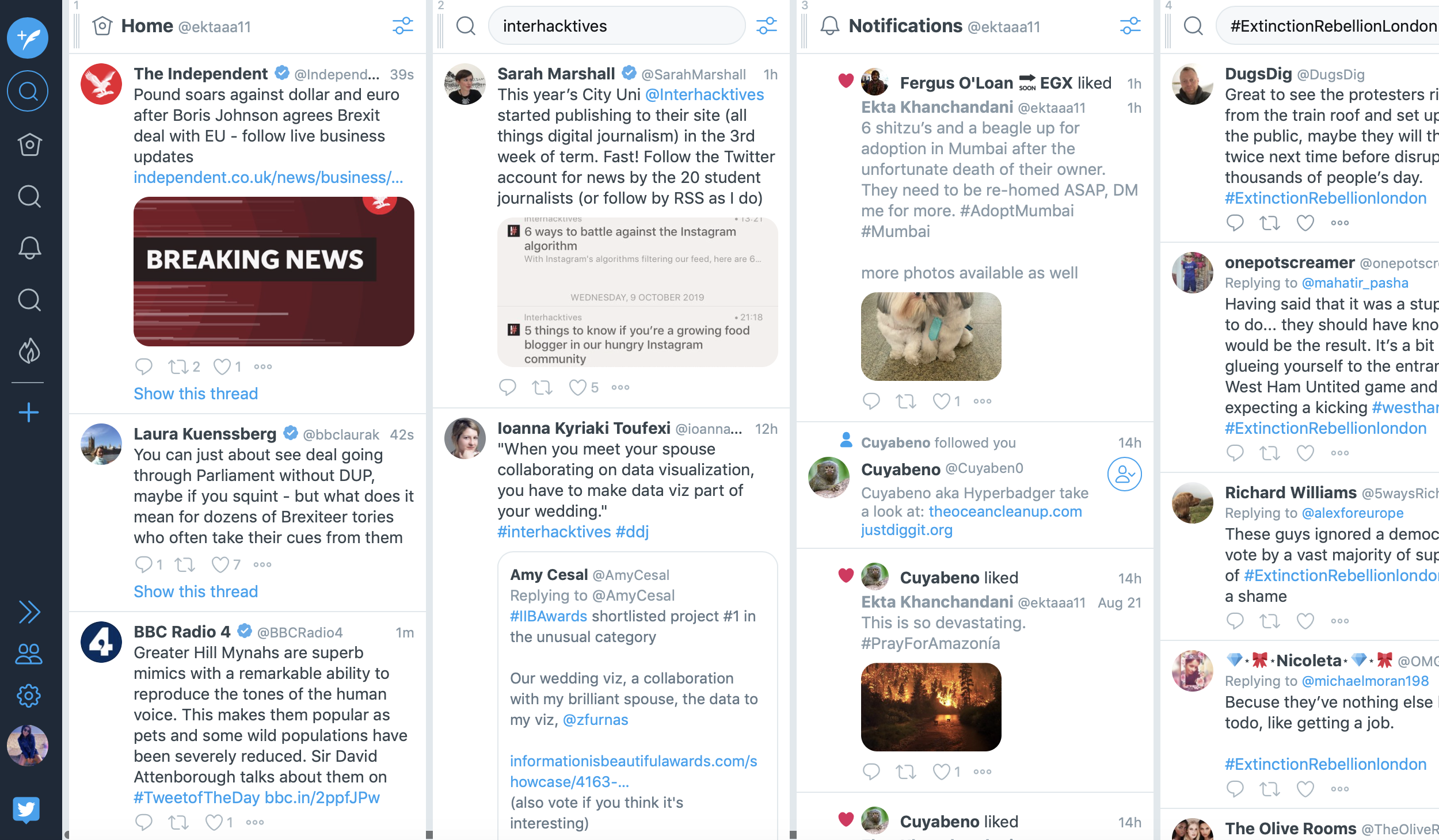
Journalism can never have enough methods of news gathering and starting out in the industry as a student journalist can be overwhelming. Don't hesitate to put yourself out there and use every platform and tool you can find to enable your journalistic skills. Explore the dashboard, research all you can and find what's out there!


